Gimic Studios
Gimic StudiosPerformance & Immersion Oriented
  • Home
  • Resources
  • Bundles
  • Docs
  • ·Discord
  • Terms
  • ·Privacy

Copyright © 2026 Gimic Studios. Not affiliated with or endorsed by Rockstar North, Take-Two Interactive or other rights holders. FiveM is a copyright and registered trademark of Take-Two Interactive Software, Inc.

Checkout is operated by Tebex Limited, who handle product fulfilment, billing support, and refunds.

485965191f49c9e28e12802f02ec9eaff14a26bf.png
Media 1 of 7

Admin System

  • ESX
  • QBX
  • QBCORE
  • STANDALONE

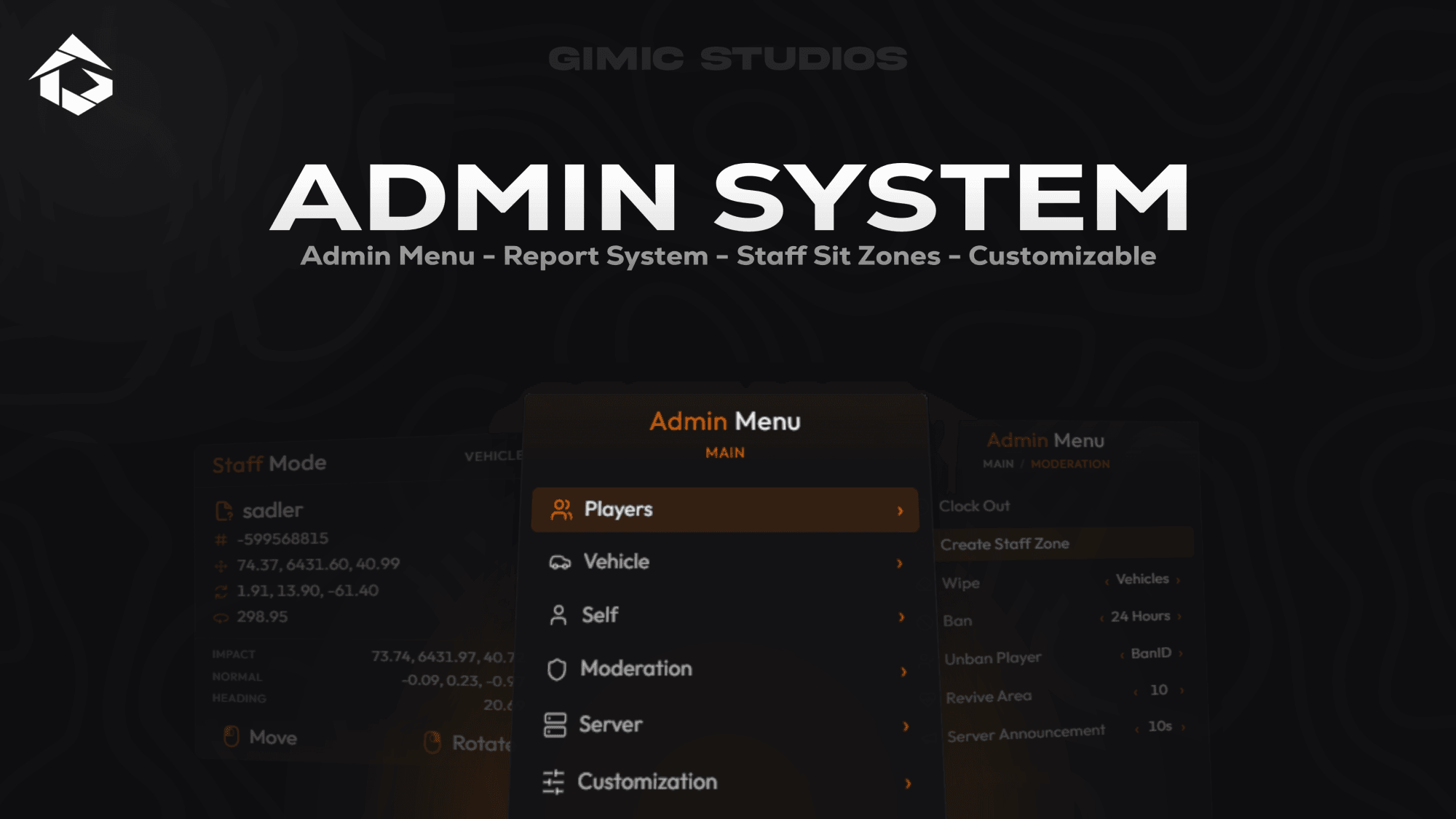
GimicAdmin is a complete, performance-optimized moderation suite built for FiveM roleplay communities that need powerful staff tools, detailed player control, and an organized moderation workflow without relying on multiple disconnected scripts.

The package includes four modular resources with a modern interface, Discord role-based permissions, player reports, staff statistics, custom streamed 3D assets, and extensive logging. It supports ESX, QB-Core, QBox, and GimicCore, with an open-source bridge available for custom integrations.

$19.99

Protected by Cfx.re asset escrow

Features

  • Complete Player Management

    Teleport, spectate, heal, revive, freeze, punish, inspect inventories, view punishment history, change skins, and copy player identifiers.

  • Self & Noclip Tools

    Use third-person or classic noclip, godmode, self-healing, revival, waypoint teleportation, coordinate teleportation, and configurable location presets.

  • Vehicle Management

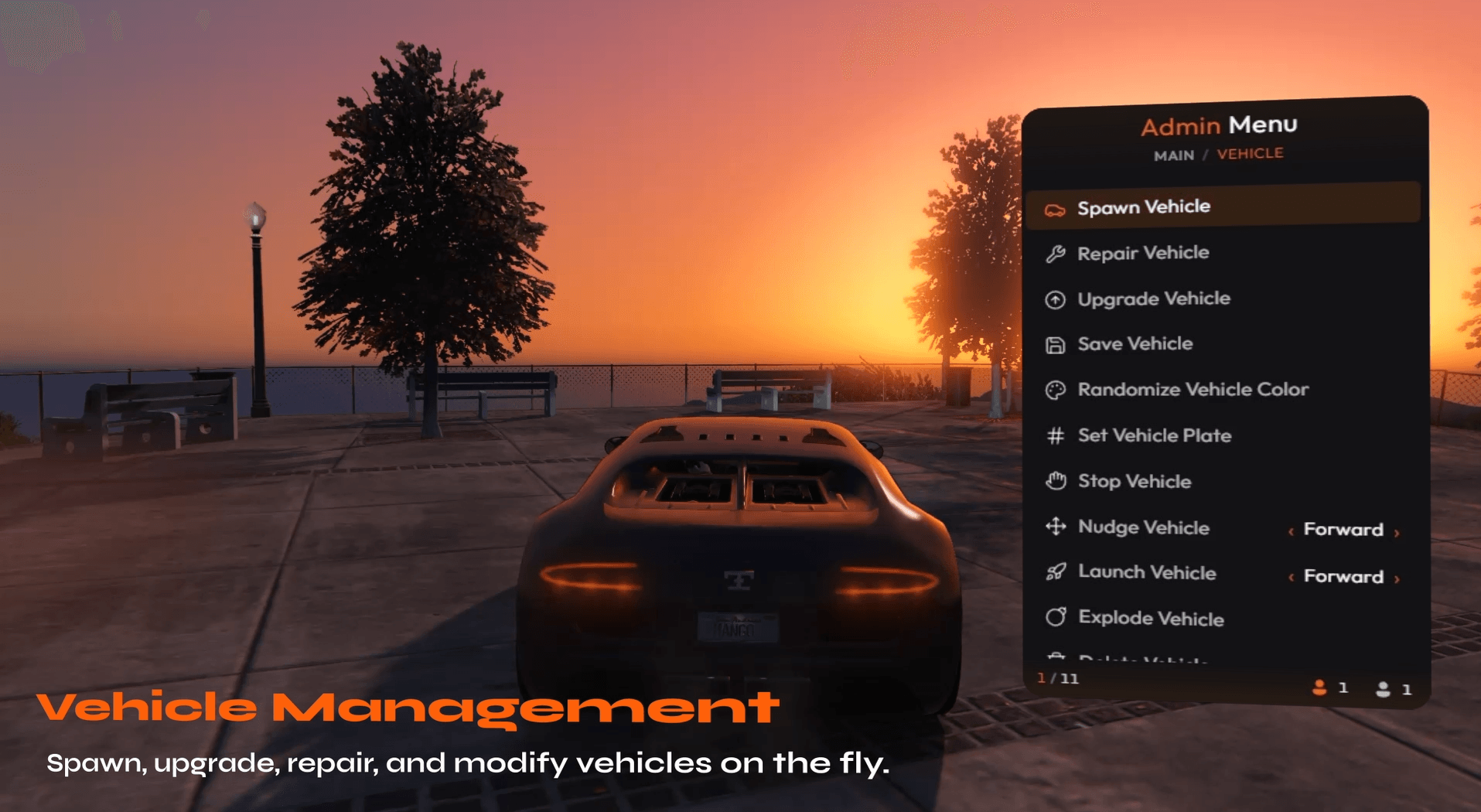
    Spawn, repair, clean, upgrade, save, claim, customize, launch, flip, explode, stop, or delete vehicles through one interface.

  • Staff Duty System

    Staff members can clock in and out, track duty activity, and display configurable server-wide duty announcements.

Requirements

  • oxmysql
  • screenshot-basic — Optional; required for evidence screenshot captures

Description

Four Modular Resources

GimicAdmin is divided into four modular resources so server owners can maintain, configure, and update each part of the system independently.

  • GimicMenu Provides the main administrative interface and all in-game moderation tools.
  • GimicBridge Handles framework integrations, inventories, permissions, logging, and compatibility layers.
  • GimicReports Provides the standalone player-to-staff report system, report statistics, and staff leaderboards.
  • GimicAssets Streams custom 3D models used for staff zones, indicators, halos, and supported administrative visuals.

Complete Player Management

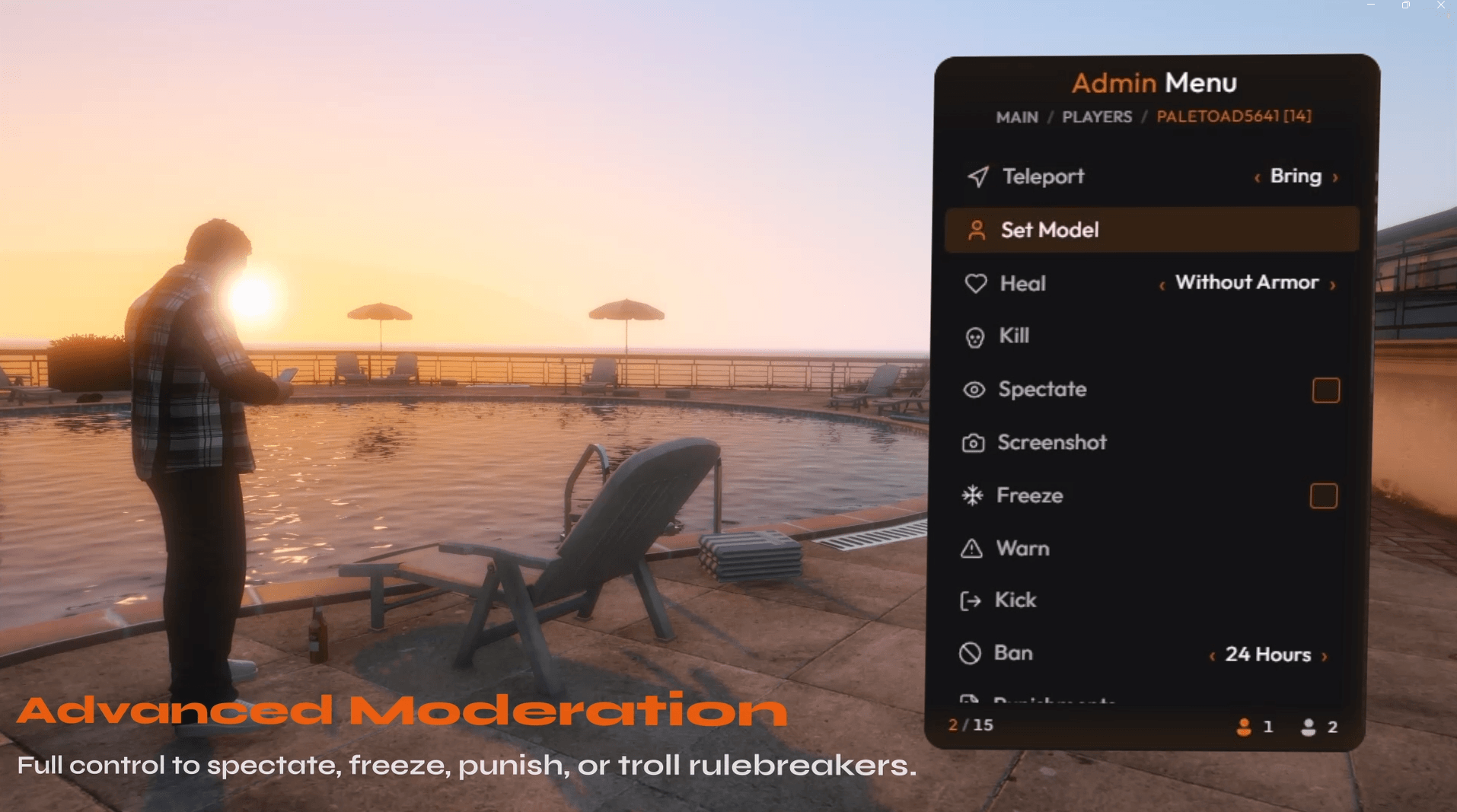
Staff can access a complete set of player management actions from one menu. Teleport tools include goto, bring, and send back, allowing moderators to move between players while preserving previous locations.

The spectate system includes an information overlay displaying the selected player's health, armor, equipped weapon, job, gang, server ID, and other supported information.

Player actions include heal, revive, kill, and freeze. Staff can also inspect and manage player inventories, review previous punishment history, change player skins, and quickly copy coordinates or identifiers such as Steam Hex, Rockstar license, and Discord ID.

Punishment System

GimicAdmin includes warnings, kicks, temporary bans, permanent bans, and unbans. Temporary bans can be issued through configurable duration tiers ranging from 24 hours to longer administrative periods.

Staff can review a player's previous moderation actions before issuing a new punishment. Unbans can be processed using a punishment ID or player identifier, depending on the configured workflow.

Noclip & Self Tools

Looking for something else? Browse the store.

Staff Zones

Create synchronized staff sit areas for handling reports, isolating involved players, and organizing moderation scenes.

  • Player Report System

    Players can submit reports while staff claim, manage, resolve, and review them through an F7 overlay with live notifications and statistics.

  • Troll & Event Tools

    Thirteen independently permission-gated tools support events, testing, and controlled staff interactions.

  • Discord Role Permissions

    Map Discord roles to staff tiers with permission inheritance and more than 40 configurable permissions.

  • Advanced Logging

    Record more than 25 administrative action types through Discord webhooks, FiveManage, Datadog, or Loki.

  • Framework Compatibility

    Supports ESX, QB-Core, QBox, and GimicCore alongside major inventory, appearance, ambulance, vehicle key, and vehicle shop resources.

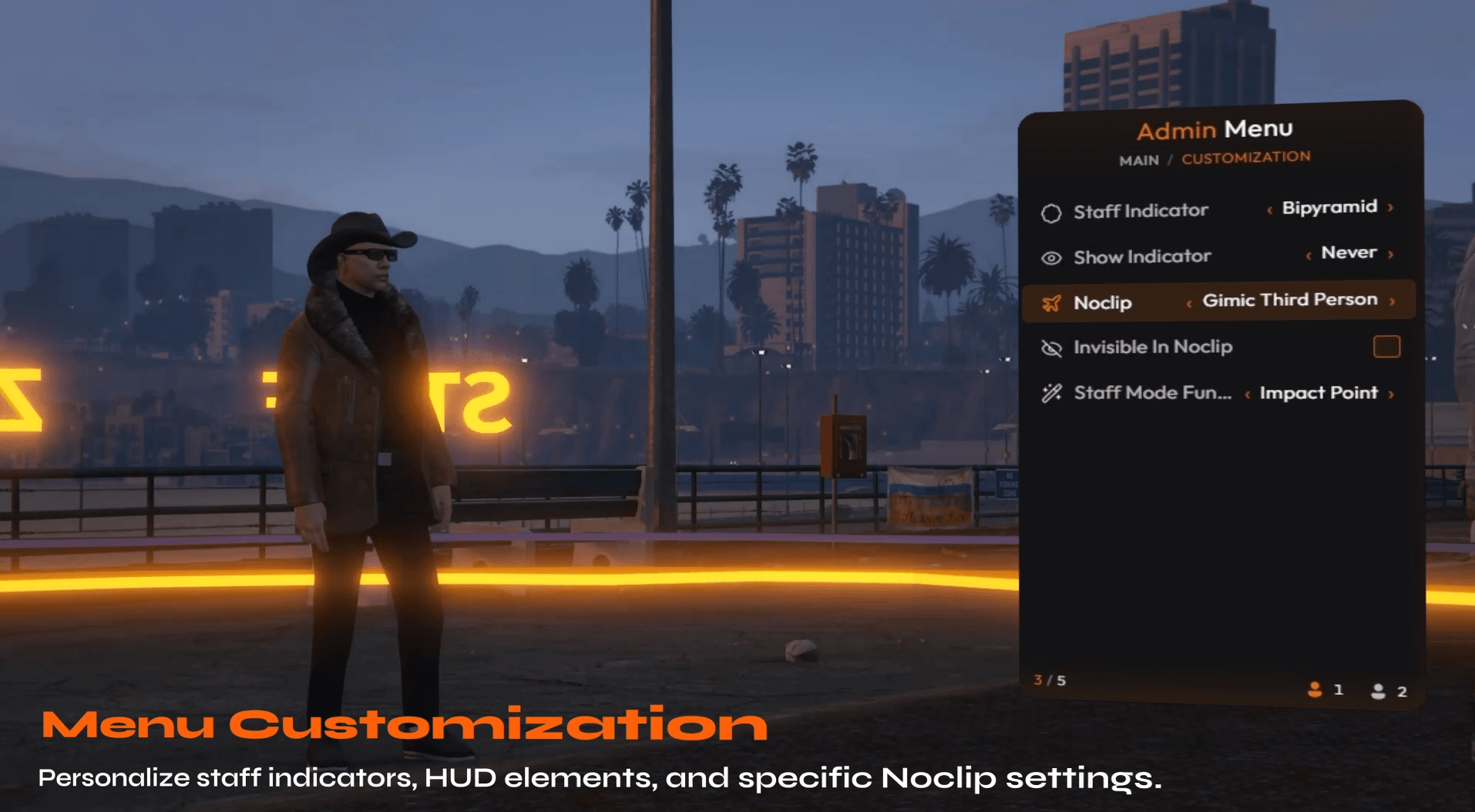
  • The built-in noclip system supports Gimic's third-person mode and a traditional classic mode. Servers can configure optional staff invisibility and an on-screen noclip information display.

    Self-management tools include godmode, heal, revive, suicide, teleport to waypoint, teleport to coordinates, and teleport to configured preset locations.

    Vehicle Management

    Staff can spawn any permitted vehicle and perform common maintenance actions such as repairing, cleaning, and applying maximum performance upgrades with turbo.

    Ownership integrations allow authorized staff to save vehicles or take ownership of them when supported by the active framework and vehicle shop resource.

    Additional vehicle tools include randomized colors, custom license plates, forced stopping, nudging, launching, flipping, exploding, and deleting selected vehicles.

    Staff Duty System

    The duty system allows staff members to clock in and out before accessing configured moderation tools. Duty activity can be tracked for staff statistics and displayed through configurable server-wide announcements.

    Permissions can be configured so selected administrative tiers bypass duty requirements or retain access to specific emergency tools while off duty.

    Staff Zones

    Staff Zones provide an in-game area creation tool designed for report handling and staff sits. Moderators can create a controlled location, move involved players into it, and use streamed visual assets to clearly identify the active moderation area.

    Staff Zone access and management actions can be controlled through individual permissions, allowing servers to determine which staff ranks may create, enter, manage, or bypass zones.

    Revive Area

    The Revive Area tool allows authorized staff to revive multiple players within a selected radius. Supported radius options range from 10 meters to 500 meters, with an additional option to revive every player on the server.

    This tool is useful for server-wide events, mass casualty scenes, administrative recovery, and resolving issues caused by resource failures.

    Entity Wipes

    Entity wipe tools allow staff to remove vehicles, objects, peds, or all supported entities from the server. Configurable model whitelists can protect important entities from being removed during cleanup operations.

    Each wipe category can be controlled through separate permissions and recorded through the configured logging backend.

    Gimic Mode

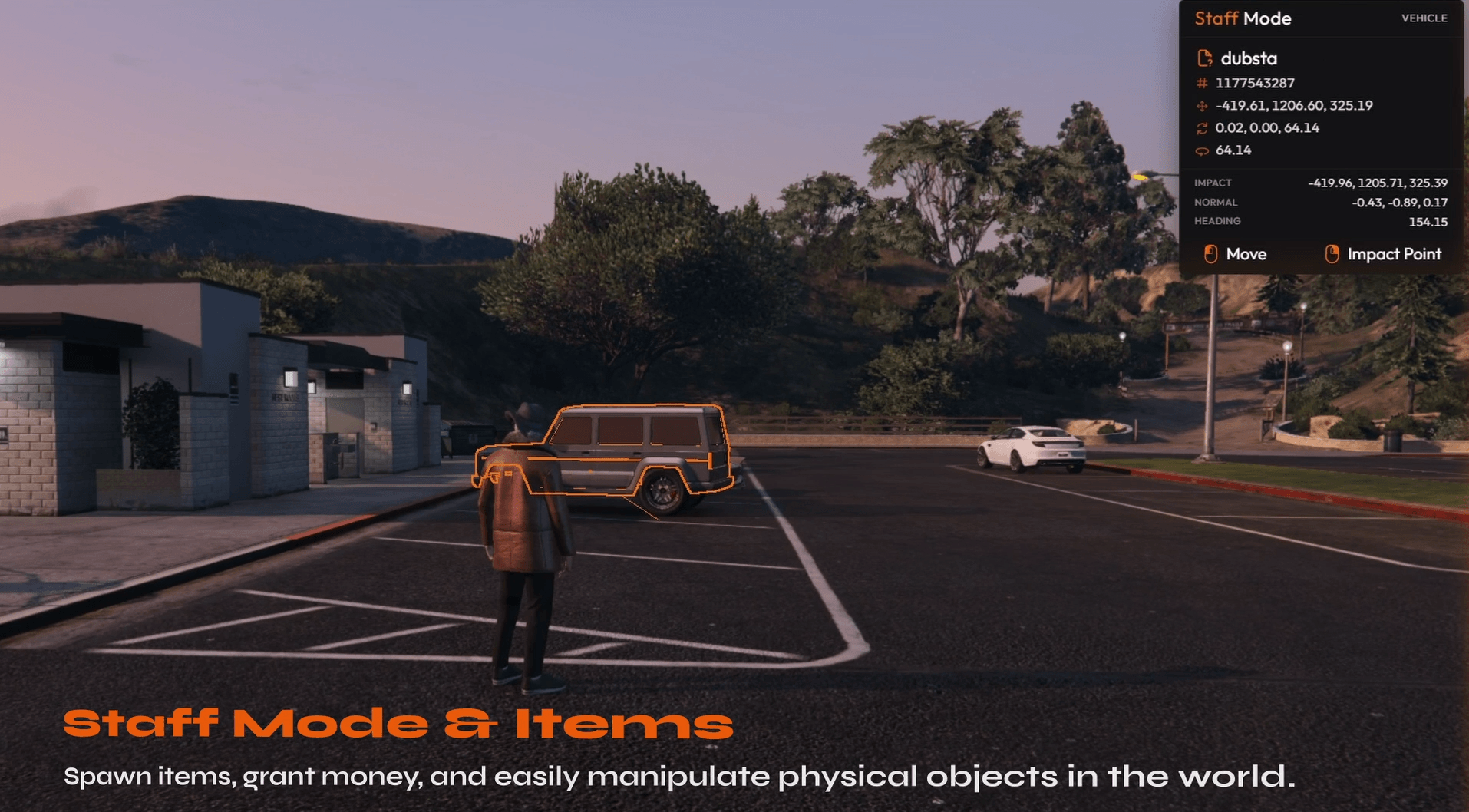
    Gimic Mode is a raycast-based entity inspection tool that allows staff and developers to inspect the world directly.

    The inspector can display the targeted entity's type, model, hash, coordinates, and supported surface information. This can assist with entity identification, map debugging, prop placement, and moderation investigations.

    Troll & Event Tools

    GimicAdmin includes thirteen tools that can be used for controlled events, staff testing, or server entertainment. Every tool is independently permission-gated, allowing server owners to restrict powerful actions to selected staff tiers.

    • Attack NPC
    • Attack Animal
    • Kidnap
    • UFO Kidnap
    • Force Control with remote movement and spectate camera
    • Clone Follow
    • Ultra Slow Walk
    • 2D Mode
    • Ghost
    • Low Poly
    • Flip Vehicle
    • Flip Player
    • Size Player

    Player Report System

    Players can submit reports under Player, Bug, or Other categories. Player reports can include a selected individual from the live server roster, helping staff immediately identify who is involved.

    Report creators receive real-time notifications when their report is claimed or closed. Players may also cancel their own report while it remains active.

    Staff Report Management

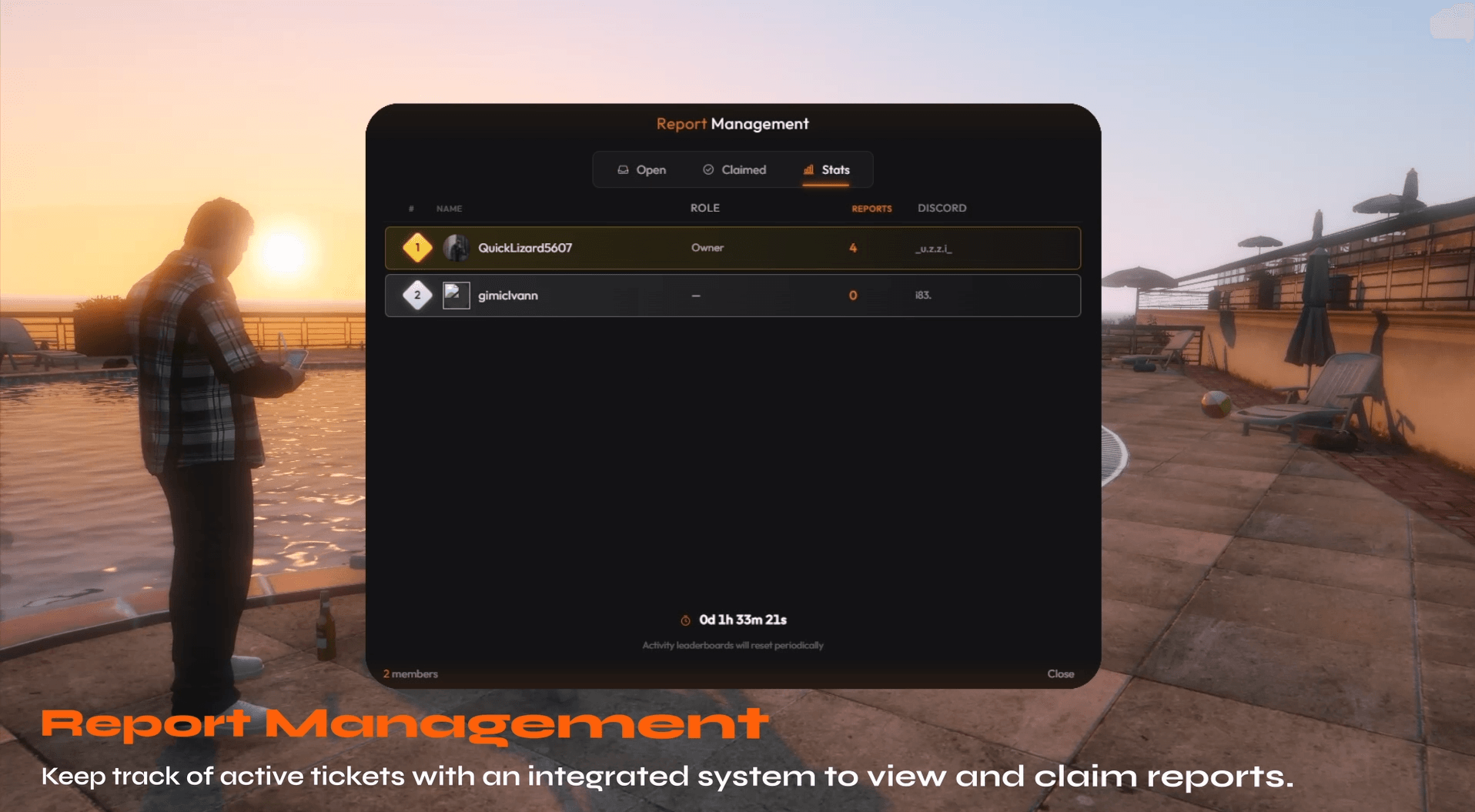
    Staff receive an incoming-report notification and can open the F7 report overlay to view Open, Claimed, and Stats tabs.

    Reports can be claimed to prevent multiple staff members from handling the same case. Each report maintains an audit trail of supported actions and status changes.

    Moderators can teleport to involved players, return to previous locations, heal either party, or move both players into a Staff Zone for a controlled discussion.

    Staff Statistics & Leaderboards

    The report system tracks staff activity and displays a leaderboard with Discord avatars. Statistics can be configured to reset weekly, allowing management teams to review report participation and staff engagement over consistent periods.

    Report statistics are integrated directly into the staff interface, avoiding the need for a separate external dashboard.

    Discord Role Permissions

    GimicAdmin can map Discord server roles to administrative tiers using a configured bot token and guild ID. This removes the need to maintain a separate staff authentication database.

    The system includes more than 40 permissions with support for inherited sub-permissions. Server owners can grant broad administrative access or restrict individual actions such as noclip, punishments, vehicle tools, staff zones, reports, and event tools.

    Logging

    More than 25 supported administrative action types can be logged using rich, color-coded Discord webhook embeds.

    The logging layer also supports pluggable backends including Discord, FiveManage, Datadog, and Loki, allowing communities to connect administrative activity to their preferred monitoring system.

    UI Customization

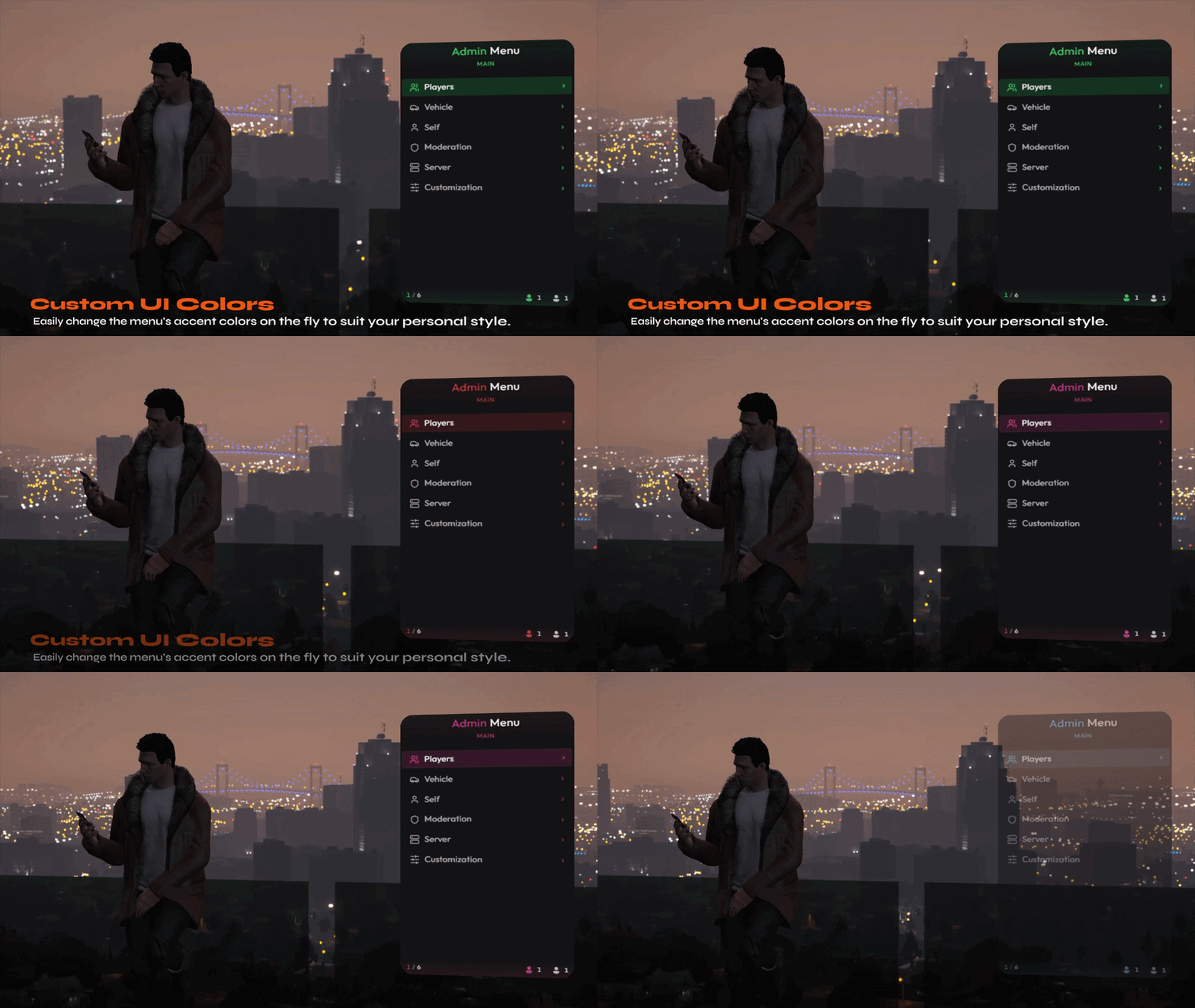
    The interface supports configurable color themes, menu titles, notification styling, keybinds, action cooldowns, and menu pages.

    Server owners can adjust the presentation and behavior of the menu without replacing the underlying moderation systems.

    Framework Compatibility

    GimicAdmin supports ESX, QB-Core, QBox, and GimicCore. Supported frameworks are automatically detected, while the open-source bridge can be extended for custom frameworks and server-specific integrations.

    Inventory Compatibility

    • ox_inventory
    • qb-inventory
    • qs-inventory

    Appearance Compatibility

    • illenium-appearance
    • fivem-appearance
    • esx_skin
    • qb-clothing

    Additional Compatibility

    GimicAdmin includes bridge support for major ambulance resources, vehicle key systems, and vehicle shop resources. The modular bridge structure allows additional integrations to be added without rebuilding the administrative interface.

    Core Systems Included

    • Modern administrative menu interface
    • Player teleportation and return tools
    • Player spectate with information overlay
    • Healing, revival, freezing, and player management
    • Warnings, kicks, temporary bans, permanent bans, and unbans
    • Player inventory management
    • Punishment history
    • Player skin controls
    • Identifier and coordinate copy tools
    • Third-person and classic noclip
    • Godmode and self-management tools
    • Vehicle spawning, maintenance, ownership, and event tools
    • Staff duty tracking
    • Staff Zones
    • Radius and server-wide revival
    • Vehicle, object, ped, and complete entity wipes
    • Raycast entity inspector
    • Thirteen troll and event tools
    • Player report submission
    • Staff report claiming and management
    • Report audit trails
    • Staff statistics and leaderboards
    • Discord role-based permissions
    • Permission inheritance with more than 40 permissions
    • More than 25 logged administrative action types
    • Discord, FiveManage, Datadog, and Loki logging support
    • Custom streamed 3D moderation assets
    • Configurable themes, notifications, keybinds, and cooldowns
    • ESX, QB-Core, QBox, and GimicCore support