Media 1 of 10
Advanced HUD
- Standalone
GimicHud is an advanced, all-in-one HUD system built for serious FiveM roleplay servers that need flexibility, customization, and strong performance. It combines player vitals, weapons, navigation, vehicles, aircraft, boats, AOP, peacetime, priority systems, and administrative controls into one modular resource.
Every HUD component is draggable, resizable, and resolution-independent, allowing each player to create and save a layout that works for their screen. Three configurable performance modes help maintain low resource usage without sacrificing functionality.
$14.99
Protected by Cfx.re asset escrow
Features
Advanced AOP & Peacetime
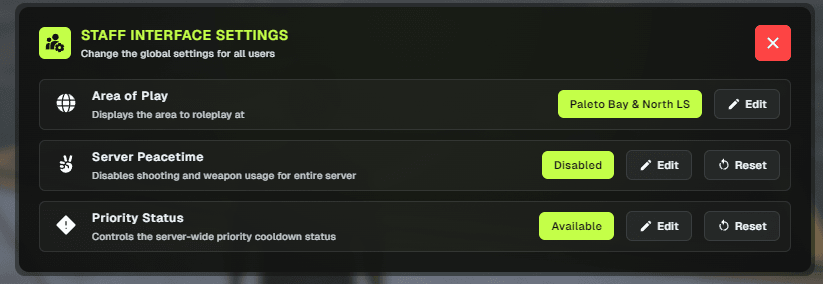
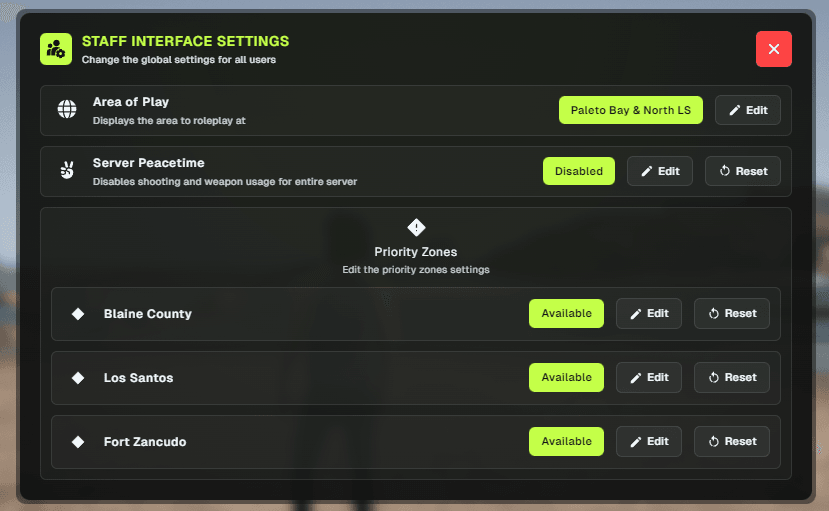
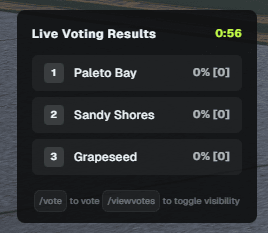
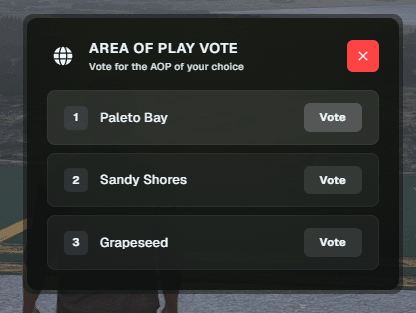
Manage dynamic Areas of Play, global or zone-based peacetime, weapon restrictions, AOP voting, priority zones, cooldowns, and Discord logging.
Customizable HUD Layout
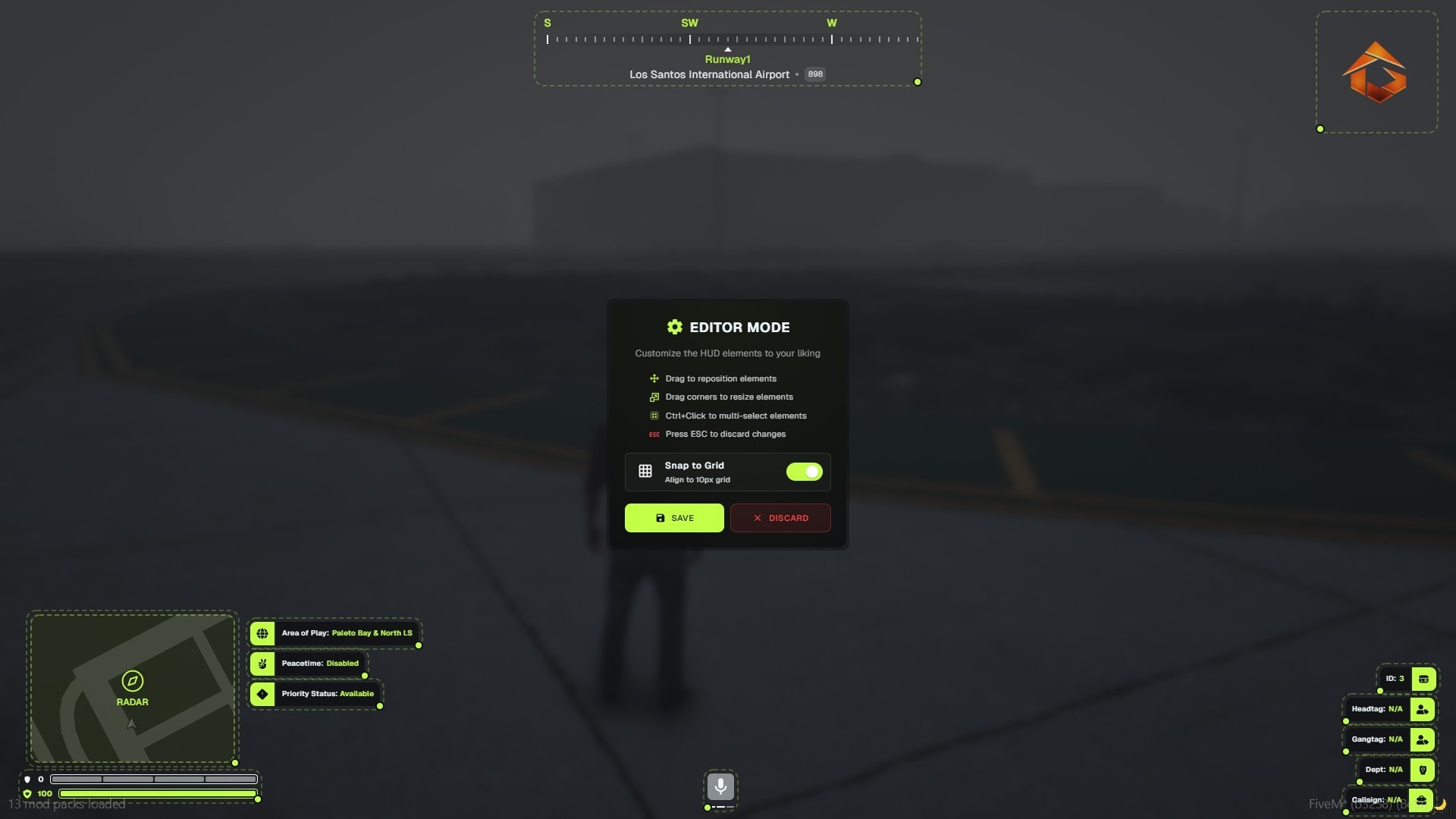
Players can drag, resize, scale, and reposition individual HUD components using an easy in-game editing mode.
Vehicle HUD
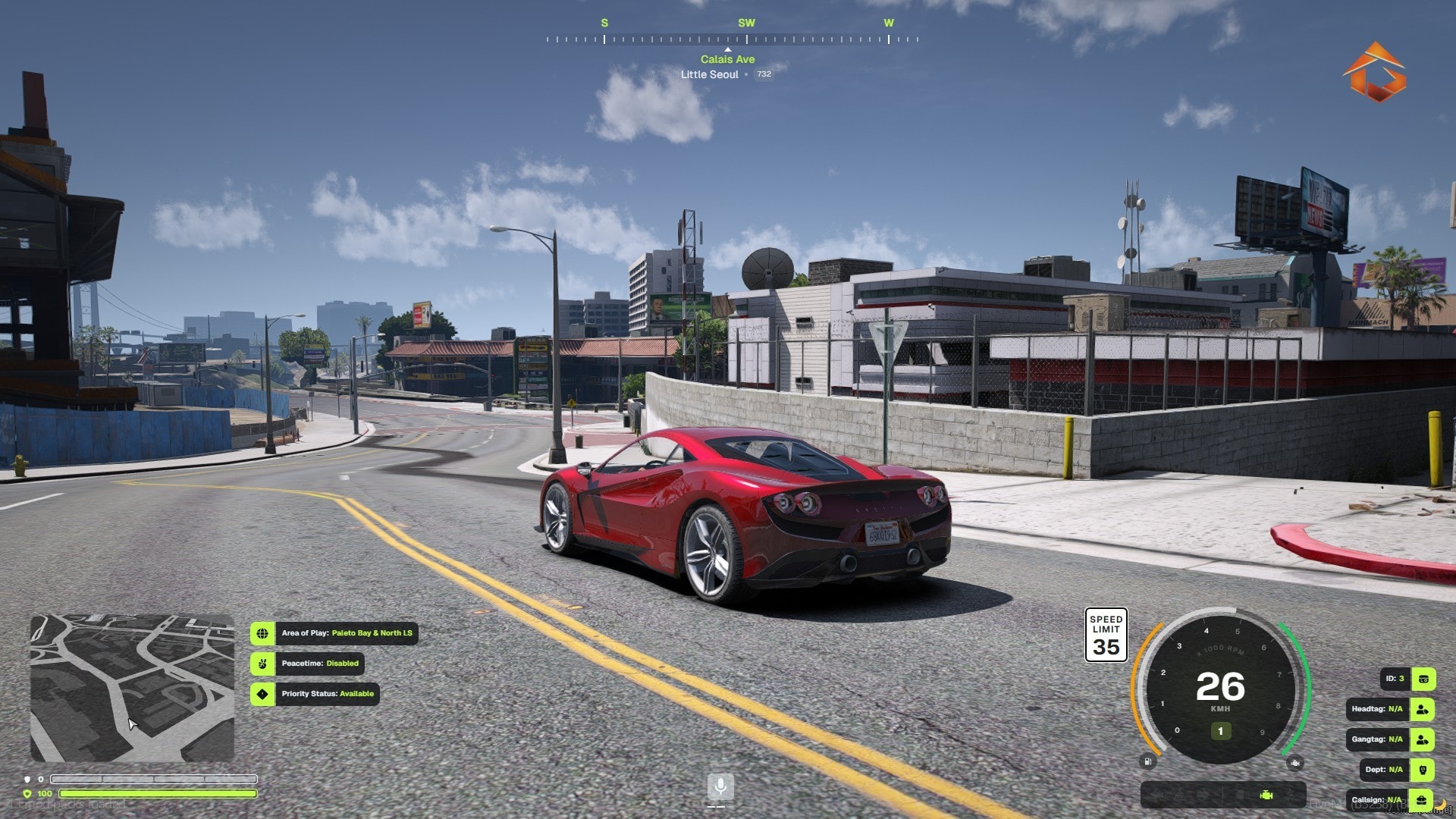
Display speed, RPM, gear, fuel, engine health, speed limits, seatbelt status, indicators, and vehicle controls with multiple speedometer styles.
Aircraft HUD
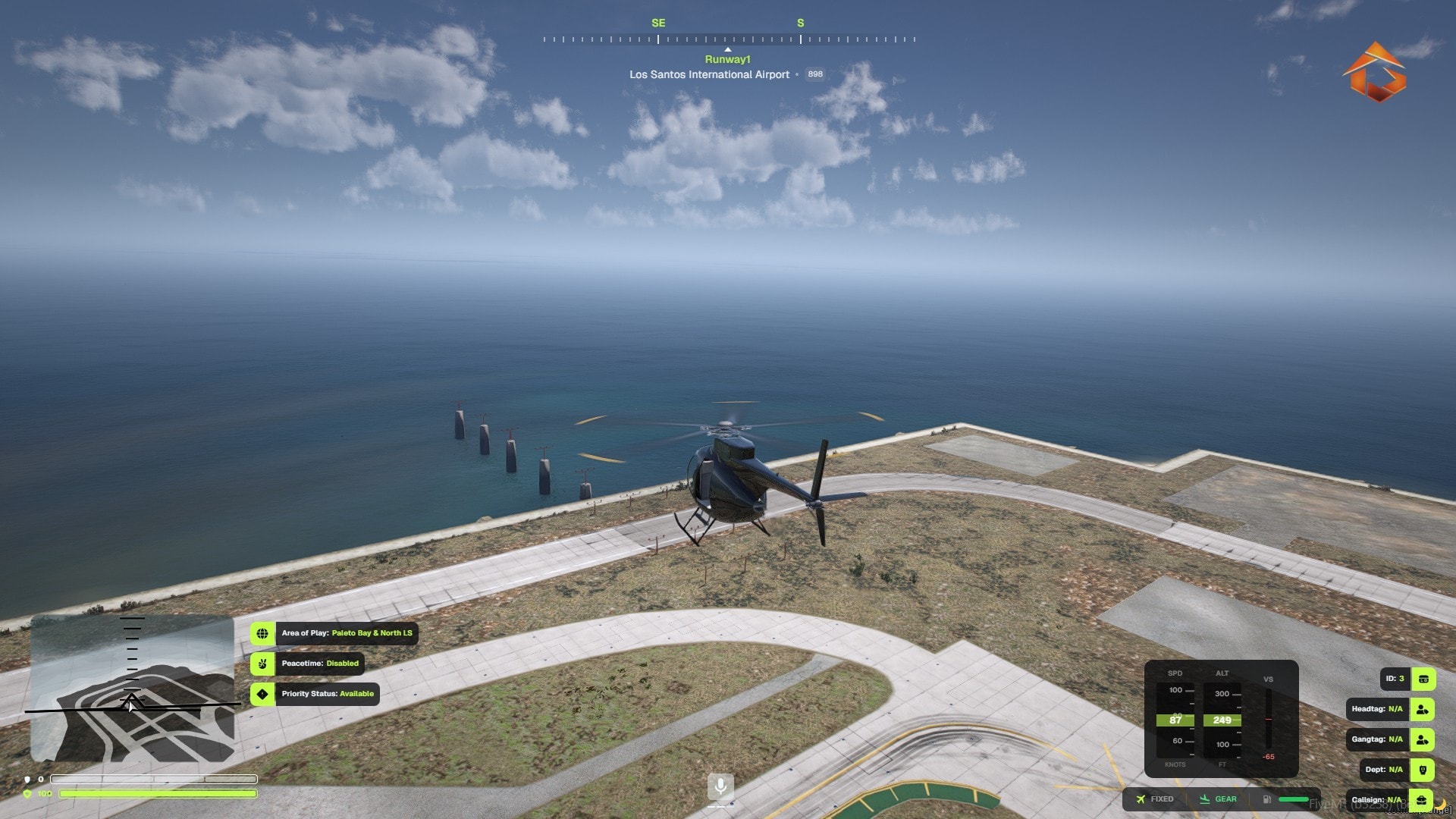
Dedicated aviation instruments include tape gauges, altitude, airspeed, heading, fuel, landing gear, and a vertical speed indicator.
Boat HUD
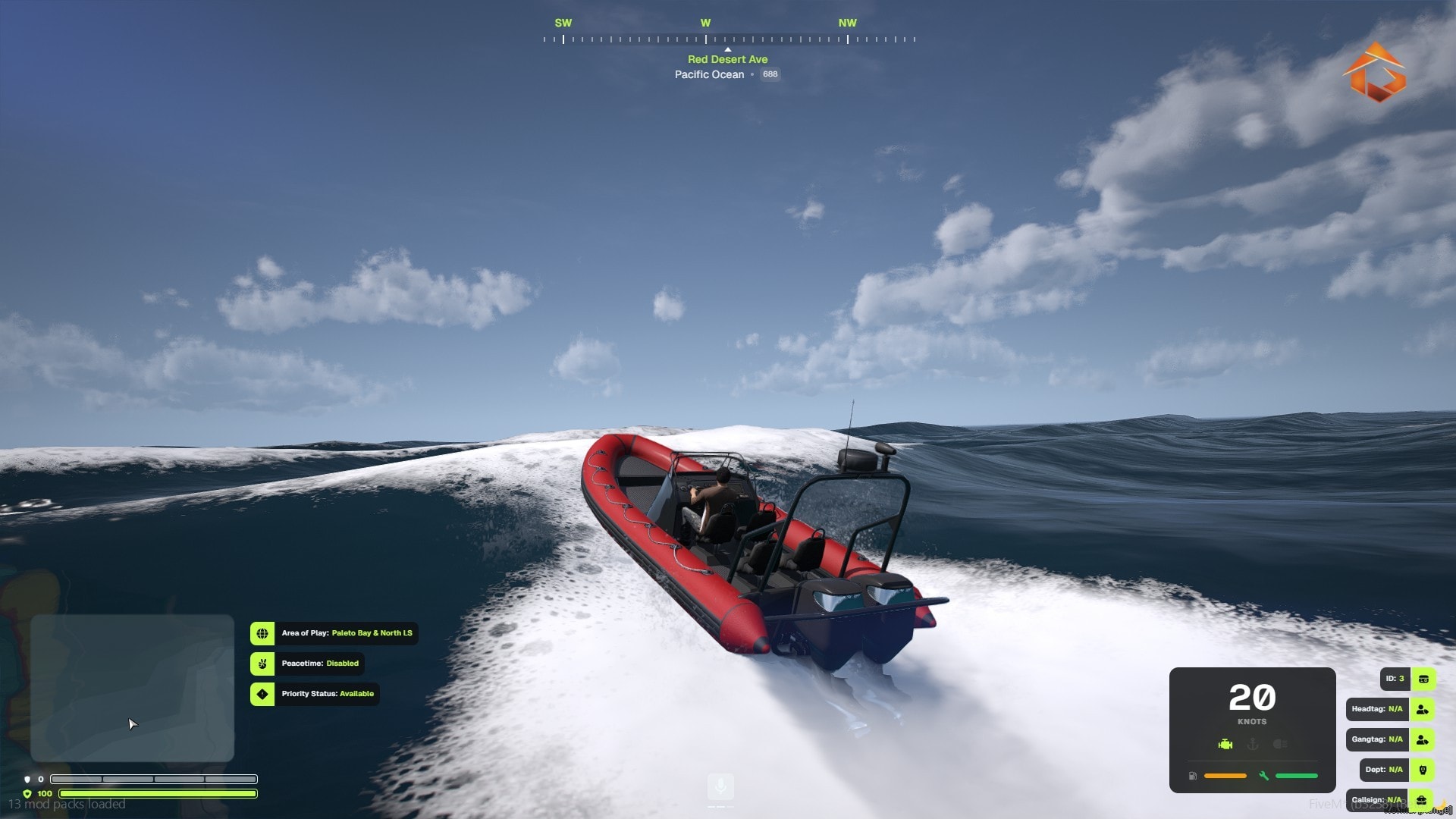
A specialized marine interface displays speed, heading, fuel, anchor status, engine condition, and navigation information.
Player & Weapon HUD
Monitor health, armor, voice activity, ammunition, weapon information, player details, and other essential roleplay data.
Requirements
- ox_lib
- pma-voice — Optional
Description
Advanced AOP & Peacetime
GimicHud includes a complete Area of Play and peacetime management system. Staff can select the active AOP, enable global peacetime, or create zone-based peacetime areas with configurable weapon restrictions.
The system also includes AOP voting, spawn integration, priority status tracking, priority cooldowns, and configurable Discord webhook logging. Players can see the current AOP, peacetime status, priority availability, and cooldown information directly from the HUD.
Customizable HUD Layout
Every major HUD component can be repositioned through the built-in drag-and-drop editing mode. Players can resize elements independently from 0.5x to 2.0x, use snap-to-grid alignment, and create a layout suited to their resolution and personal preferences.
Layouts and settings are saved for each player, allowing their customized interface to return automatically whenever they reconnect.
Player HUD
The player HUD provides essential information such as health, armor, voice activity, player details, server status indicators, and configurable roleplay tags. Voice support is available for pma-voice installations.
Individual components can be shown, hidden, repositioned, and resized without affecting the rest of the interface.
Vehicle HUD
The vehicle HUD includes multiple speedometer styles, including circular and modern layouts. It displays speed, RPM, gear, fuel, engine health, speed limits, indicators, seatbelt information, and additional vehicle statuses.
A dedicated vehicle control panel provides convenient access to supported vehicle functions while maintaining the same modular and customizable design as the rest of the HUD.
Aircraft HUD
Aircraft use a dedicated aviation interface instead of the standard vehicle display. The aircraft HUD includes tape-style gauges, airspeed, altitude, heading, fuel, landing gear status, and a vertical speed indicator.
The interface is designed to provide useful flight information without overwhelming the player's screen.
Looking for something else? Browse the store.